
Mini Emergency Units Guide: Selectable Units and the Medical Emergency Team
In Mini Emergency you pick response teams from unit cards in each incident's dispatch panel. Here's what you can actually select and which team fits the confirmed Medical Emergency call.
If an incident has popped up on your map and you're not sure what to send, here's the short answer: in Mini Emergency you select the teams your depots have trained, using the unit cards in the incident's dispatch panel. The confirmed card for a Medical Emergency call is Medics, the team your Basic Ambulance Depot trains. The ambulance that drives to the scene is only the vehicle carrying them — it is not a unit you pick.
What you're actually selecting
Mini Emergency's core loop is buying units at your headquarters and sending them out to incidents that spawn around the map for cash rewards. The depots stay home: a response depot like the Ambulance Depot exists to train those active units, so what you deploy is the team, not the building.
Two depot-trained teams to know:
- Medics — trained at the Basic Ambulance Depot, and the card you select for the confirmed Medical Emergency call.
- Police units — trained at a Police Depot, able to respond to different emergencies across the city.
Making the pick is quick: walk to the incident, press E to open the dispatch panel, select the unit card, allocate the units you're sending, and click Deploy — the panel then confirms your units are sent. In the tutorial dispatch, that allocation is 8 medics for a 95% success chance. The full procedure is covered in our guide to dispatching units.
The ambulance is the vehicle, not the unit
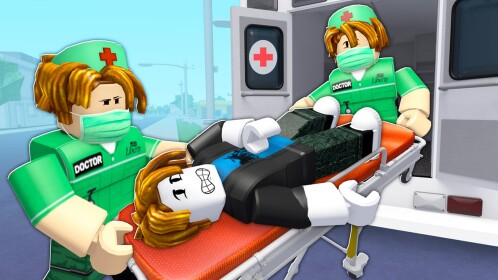
The ambulance and the Medics team are separate things, and that distinction trips up new players. Once you deploy, an ambulance spawns and drives to the incident — a red and white vehicle crossing the map toward the scene — and the medics are the deployed team riding in it. When the mission clears, the success screen shows the ambulance back on the city map with your units returned, ready for the next call.
The team that fits the Medical Emergency call
The tutorial's first Medical Emergency — the incident to the left of your starting base, announced by a mission banner on the way there after you've placed the Basic Ambulance Depot — is a Medics job. Open the dispatch panel at the scene, select the Medics card, allocate 8 medics for the 95% success chance shown, and click Deploy. The ambulance carries the team to the casualty, the medics stabilize them, and you don't need to do anything during that part. When the mission clears, your units return to base with a +$2.5K reward, confirmed by a "SUCCESS! Your units are back" message.
Those 8-medic and 95% figures are specific to that first tutorial dispatch — they're not a fixed rule for every call. What the success chance in your panel reflects is covered in our mission success chance guide.
So if a Medical Emergency like the confirmed tutorial call pops up on your map, send Medics — and let the success chance in your own dispatch panel confirm the pick.
Growing the teams you can send
The Police Depot is the other confirmed training facility, turning out police units that can respond to different emergencies across the city. More depots mean more kinds of trained teams to send out, and Cash lets you buy more units and better depots — our depots guide and the build walkthrough cover the building side, and working Mini Emergency codes can help you afford new units and depots sooner.
For how a mission flows from banner to payout, see our Mini Emergency missions guide.