
1KLIKESFree rewards
Source checked:
Build a rescue headquarters, send emergency teams to incidents across the city, and grow your operation with depots and supply factories.
Game Updates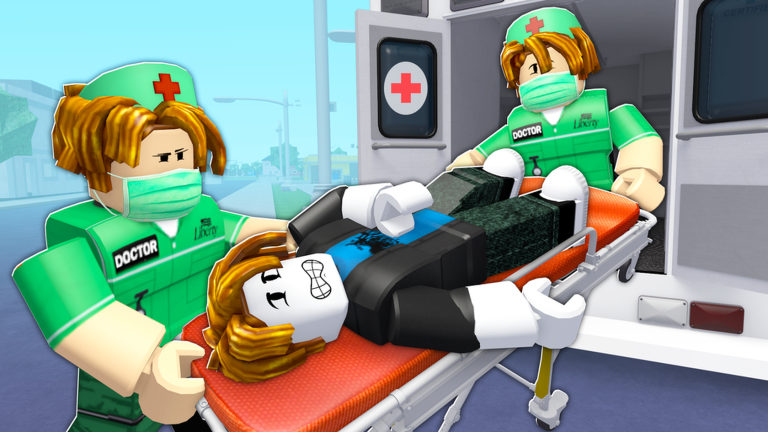
Currently tracked codes, what they grant, and how to redeem them through the Shop's Codes box.
1KLIKESSource checked:
KAPOOMSource checked:
ReleaseSource checked:
| Code (click to copy) | Rewards | Status | Source checked |
|---|---|---|---|
1KLIKES | Free rewards | Reported active | |
KAPOOM | Military Depots and cool items | Reported active | |
Release | $2,500 CashPolice Car Depot (x1) | Reported active |
Guides for growing your headquarters: start your first session, run every mission, place buildings and land, earn cash, redeem codes, compare the shop and see what changed recently.
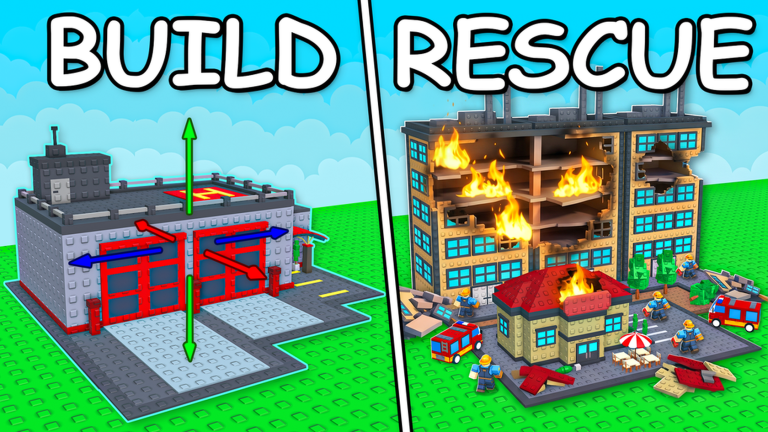
Mini Emergency is a Roblox simulation tycoon by Emergency ASAP. You run an emergency-service operation, turn mission payments and supply sales into cash, and gradually buy more space for your growing headquarters.
Start with the First SessionPlatform
Roblox
Genre
Simulation / Tycoon
Developer
Emergency ASAP
Currency
Cash
The Dispatcher tutorial's five steps, from placing your first depot to buying your first plot of land.
Select it from hotbar slot 3, rotate with R if needed, click the green build square.
Run to the mission marker that spawns near your base.
Press E at the incident, select the Medics card, then click Deploy.
Place it from slot 3, collect 6 supplies with E, sell at the market stall.
Press F at an unowned edge plot; the first adjacent plot cost $100 in the observed run.
The starter Medical Emergency mission from incident to payout, and why the same loop repeats.
A Medical Emergency appears near your base with an injured civilian — in the tutorial, to the left of your base.
Press E to open the dispatch panel, select the Medics card, allocate 8 medics, and click Deploy. The tutorial allocation shows a 95% success chance.
An ambulance drives to the scene and the medics stabilize the casualty — no input needed.
The mission clears with a +$2.5K reward and a "SUCCESS! Your units are back" message.
Completed rescues are one of the game's two income sources — the same loop repeats as you add more depots and unit types.
Two income streams, one reinvestment order: how missions and supply sales grow your base.
Depots train the units you deploy; cleared missions pay cash — the tutorial mission pays +$2.5K.
Factories produce while you play; a batch of six Rescue Supplies sells for $12 early on.
Press F at an edge plot; the first adjacent plot costs $100 and prices rise from there.
More response capacity handles bigger missions and earns more per run.
Keep both streams running — production continues in the background while you are out on missions.
Collect a finished batch at your warehouse and exchange it for cash at the central market stall.
The Supply Warehouse keeps producing while you are out on missions.
Approach the building and press E — the first batch is 6 Rescue Supplies.
The marked route leads to the stall in the center of the map.
Six Rescue Supplies bring in $12 at the tutorial stage, confirmed by the "Nice cash!" message.
Where each response depot comes from and what it adds to your rescue operation.
Placed free during the tutorial; the building that trains medics for your missions.
A new place to train police units that respond to different emergencies across the city.
A unique facility you can't easily get otherwise.
What each day of the login streak pays, and why the building days matter.
| Day | Reward |
|---|---|
| 1 | +$2.5K cash |
| 2 | Engineer Depot |
| 3 | +$250K cash |
| 4 | Hazmat & Bio-Containment Lab |
Every documented key and hotbar slot, from placing buildings to buying land.
| Control | What it does |
|---|---|
| Hotbar slot 1 | Items — your placeable buildings |
| Hotbar slot 2 | Hammer — dismantles objects so you can relocate a misplaced building |
| Hotbar slot 3 | Selects the building you are placing next |
| R | Rotates a building while placing it, if it needs it |
Quick answers about where the wiki's most-requested information lives.
Get familiar with the headquarters, response missions, and ways to expand your operation.